
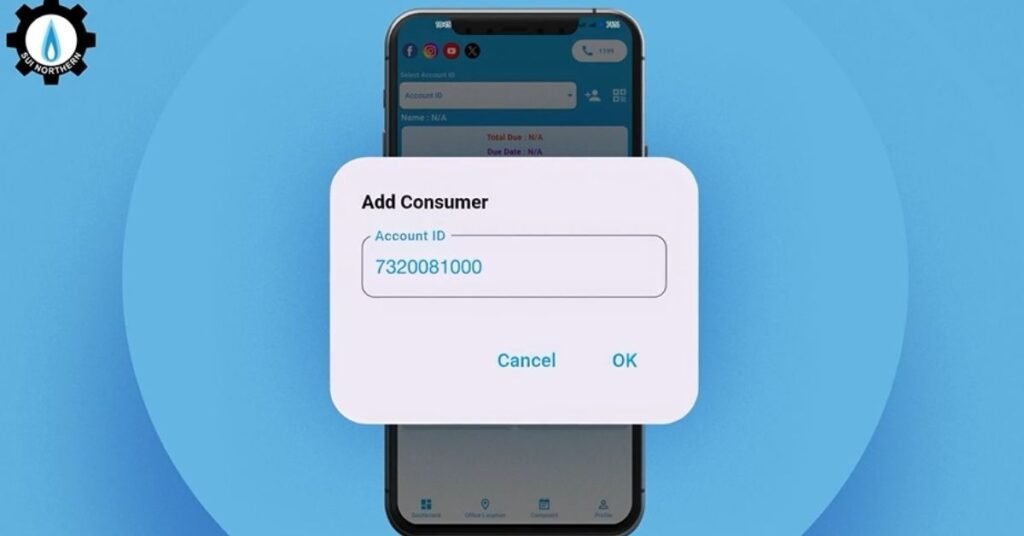
Check SNGPL Online Bill– Download Sui Gas Bill
Enter your SNGPL consumer number to view, download, or print your latest gas bill online.
Do you want to check your SNGPL online bill in Pakistan? You can access your Sui Gas bill, download, print, or pay it from anywhere. This article walks you through every tool, process, and tip so you’re able to check your SNGPL duplicate bill and pay it on time.
Is your SNGPL bill number 11 digits or 14 digits?
If you searched for a 14-digit SNGPL bill number, you’re in a wrong place like a lot of people land here. Here’s the short answer.
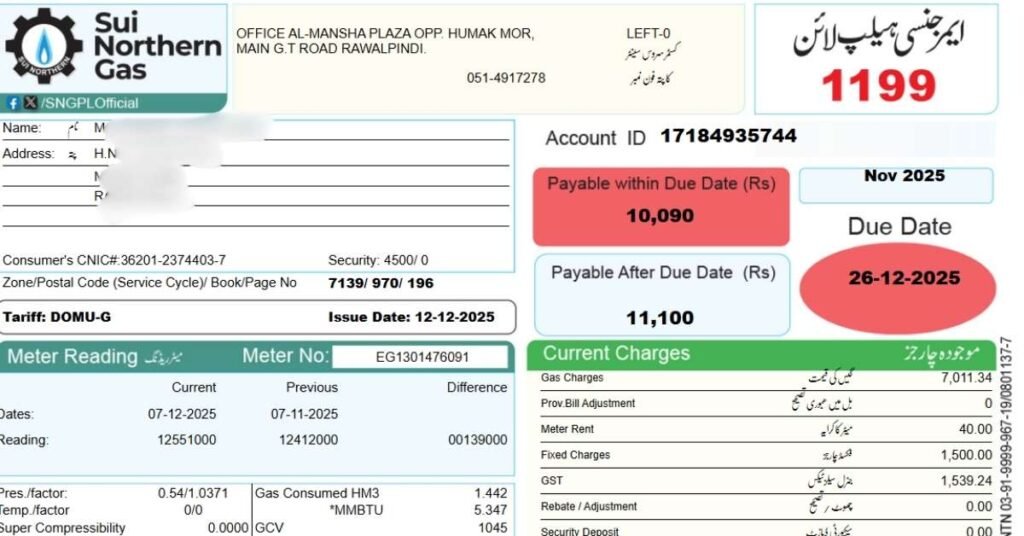
SNGPL (Sui Northern Gas) always uses an 11-digit Consumer Number, also labeled “Account ID” on your bill.
The 14-digit reference number format belongs to electricity distribution companies (LESCO, IESCO, MEPCO, etc.), not gas providers.
If you have a 14-digit number in hand and you’re trying to check a gas bill, double check — you may actually be looking at an electricity bill reference, or an older/different account document.
Either way, you’re in the right place if you need your Sui Gas bill. Just grab your 11-digit Consumer Number from any previous bill and follow the steps. Looking for electricity instead? See our electricity bills Guide.
SNGPL Duplicate Bill Checker
Open the official SNGPL “Get Your Gas Bill” page to view, download, or print your latest bill using your consumer number.
Check SNGPL Bill NowSNGPL Gas Bill Calculator
Use the official SNGPL bill calculator to estimate charges based on the company’s billing method.
Open SNGPL Bill CalculatorSNGPL Bill Payment Status
SNGPL shows bill/payment-related handling through its bill and billing information flows. Use the official bill page to confirm current status.
Check via Official Bill PageSNGPL Complaint & Helpline
Lodge a complaint online or track an existing complaint through official SNGPL pages. Emergency helpline: 1199.
How to check your SNGPL online bill (step-by-step)
There are different methods you can apply to get your sui gas bill online. If you are looking for downloading SNGPL bill online, here is a quick guide.
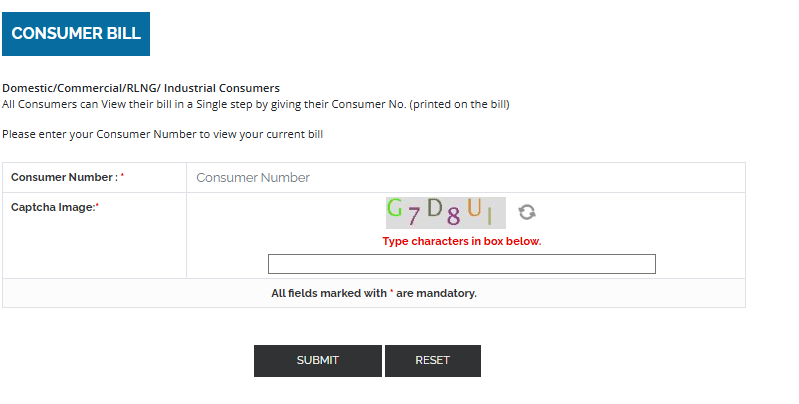
- Visit the official SNGPL website to check your SNGPL duplicate bill.
- Find the option labelled “Consumer Bill”. Some third-party guides list this process. If you visit homepage of SNGPL website, you will see ‘Get Your Bill’ in customer service option.
- Identify your Consumer/Account ID (often 11 or 14 digits) – this is printed on your previous bill under “Account ID” or “Reference Number”.
- Enter your Account ID/Consumer Number into the box, complete any captcha verification and hit Submit. The system should retrieve your current bill.
- Once the bill appears you can view details like billing period, meter readings, consumption units (in hm³), fixed charges, taxes and total amount due.
- You can choose options like Download Bill as PDF, Print Bill or Save the bill for your records. Most systems allow this.
- If your bill isn’t found, ensure you entered the correct consumer number and confirm you’re choosing the correct region (Punjab, KPK, Islamabad), because some legacy systems differ.
Pro tips:
- Keep your old bills in physical form so you can reference your consumer number and meter readings when needed.
- Use a browser with an up-to-date version; mobile browsers sometimes behave differently.
- After you view the bill, double-check meter reading, units, and charges to catch errors early.
Common Problems During SNGPL Online Bill Check
- Wrong consumer number — Double-check all 11 digits against an old bill; even one incorrect digit will block the lookup.
- Captcha not loading — Refresh the official SNGPL page, or try a different browser.
- Slow or unstable internet — Switch to a stronger connection or try again later.
- This month’s bill not yet uploaded — SNGPL sometimes takes a few days after billing cycle close to publish the latest bill online; check again in 24–48 hours.
- Browser display issues — Clear your browser cache and cookies, or try an alternate browser.
If the issue persists after trying these steps, contact SNGPL directly via helpline 1199 or their official complaint portal.
What the Details on Your SNGPL Bill Mean
Once your SNGPL bill opens, here’s what each detail on it means:
| Bill Detail | What It Means | Why It Matters |
|---|---|---|
| Consumer Number | Your 11-digit gas account identifier | Required for every online bill check |
| Billing Month | The month the bill covers | Confirms you’re viewing the latest bill |
| Due Date | Last date to pay without surcharge | Avoids late payment penalty |
| Payable Amount | Total amount owed | Needed for online or in-person payment |
| Meter Reading | Current and previous readings | Shows your actual gas consumption |
| Gas Charges | Cost of gas consumed | Main usage-based portion of your bill |
| Fixed Charges | Flat monthly charge | Applies even in low-usage months |
| Meter Rent | Monthly meter-related fee | Small fixed addition to total |
| GST | Government sales tax | Included in your final payable amount |
| Arrears | Unpaid balance carried from earlier bills | Can significantly raise your total due |
How to download, print or save SNGPL duplicate bill online
It’s one thing to view your bill online – but being able to download or print it gives you backup and documentation.
Once your online bill is displayed, simply choose the download/print option to get a copy of your SNGPL duplicate bill.
SNGPL Duplicate Bill Online Check & Download (Step-by-Step)
Here’s how:
- After the online bill check page loads, look for a button or link labelled “Download Bill”, “Duplicate Bill”, “Print Bill” or “Save PDF”. Some unofficial guides describe the process: “Click on the bill … Right-click and select Print or Save As.”
- Ensure your device is connected to a printer (if printing) or you have enough storage space (if saving).
- Save the file with a meaningful name (e.g., “SNGPL-Bill-Aug-2025.pdf”) so you can retrieve old bills for reference or verification.
- If you anticipate needing paper copies regularly (for documentation, tenancy records, etc.) consider storing five years of bills digitally – it’s far easier than keeping physical stacks.
- For duplicate bills: you can retrieve bills from previous months via the same online portal if your account supports bill history. Some guides note that “You can also save and print past bills … view previous month bills.”
- If you ever lose your consumer number or need help retrieving your duplicate bill, contact SNGPL’s billing support via email (billing@sngpl.com.pk) or phone — as listed in their Contact Us page.
By downloading and printing your duplicate bill you maintain control, reduce risk of paper loss, and are prepared for audits, tenancy transitions, property verification or bank references.
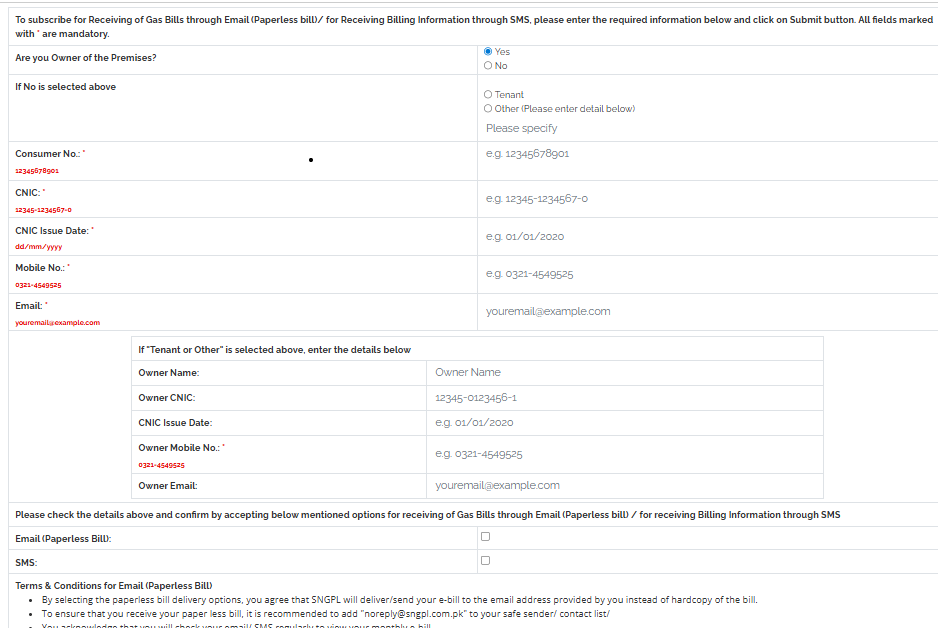
How To Get Bill Through Email
You can also subscribe to get your gas bill online through email. In an order to receive bill, you will have to submit your customer ID and other related information. You can also get bill information through SMS alert by subscribing.
Region-specific guides: Islamabad, Lahore, Faisalabad, Multan, Peshawar
Consumers in different cities often face slight variations in process or region-coverage. Here’s a breakdown for key cities covered by SNGPL.
Whether you’re in Islamabad, Lahore, Faisalabad, Multan or Peshawar, you can check and manage your SNGPL online bill – relevant to your specific region.
Islamabad (capital region)
- SNGPL covers the Islamabad Capital Territory. It includes areas like Islamabad City and surrounding sectors.
- Use your 11 or 14-digit consumer number; log into the official website and proceed with online bill check and payment as above.
- If you’re renting a property in Islamabad and need to print duplicate bills for landlord or tenancy record, the online route is especially useful.
Lahore (Punjab)
- As one of the major cities under SNGPL’s network, Lahore consumers benefit from full online support.
- Steps remain same: identify your consumer number, use SNGPL portal or mobile app, download bill, pay via bank or wallet.
- Additional tip: Many banks in Lahore allow in-branch quick bill payment too—just ensure you record the transaction ID.
Faisalabad
- For consumers in Faisalabad, the process is identical but check whether the region code in your consumer number corresponds to the Faisalabad area (for accurate history & tariff slab mapping).
Multan
- In southern Punjab the same system applies; online check and payment reduce the need to physically visit the billing office in Multan, especially helpful during heavy load/peak season.
Peshawar (Khyber Pakhtunkhwa)
- SNGPL also covers KPK regions including Peshawar. The digital check/payment system ensures even remote areas can access their bills online.
- In all these regions, the underlying message is the same: use digital tools for speed, accuracy and convenience—even though regional infrastructure may pose connectivity challenges, the system remains accessible via web/mobile.
SNGPL Bill Online Check – Rawalpindi
Rawalpindi is also covered by SNGPL’s northern network. Online bill checks and payments can also be made by using banks and mobile wallets.
Abbottabad & Sialkot
SNGPL also distributes gas to the consumers living in Abbottabad and Sialkot regions. Consumers can use the same online payment methods like consumers living in other areas like Multan or Lahore, as long as the consumer number is valid.
What is SNGPL?
SNGPL is Pakistan’s largest integrated gas distribution company serving the northern and central regions. Gas exploration companies like OGDCL and PPL discovers gas while two distribution comapnies SNGPL and SSGC deliver it to the customers for cooking and heating.
According to its official profile, the Sui Northern Gas Pipelines Limited (SNGPL) “is the largest integrated gas company. It is serving more than 7.30 million consumers in North Central Pakistan” through an extensive pipeline network.
That network extends over thousands of kilometres of mainline and distribution pipelines. SNGPL’s distribution system is stretching from Punjab to to Peshawar in Khyber Pakhtunkhwa.
Why does this matter for you as a consumer? Because the scale of the company means its online tools and billing infrastructure to serve millions – thus reliability, accuracy and digital access are more important than ever.
Also, when you check your SNGPL online bill, you’re plugged into a system that has to manage volume, region-specific tariffs, consumer categories and service variation across Islamabad, Lahore, Faisalabad, Multan, Peshawar, etc.
For example the list of areas covered include Lahore, Faisalabad, Rawalpindi, Gujranwala, Multan, Sialkot, Bahawalpur (in Punjab); Peshawar, Abbottabad in KPK; Islamabad Capital Territory; Azad Jammu & Kashmir.
In short, you’re dealing with a major utility company and your online access must be easy to give you the service you deserve.
Online Billing System
The internet charging framework has enormously reformed the bill payment techniques and diminished one of the defects and troubles in the traditional charging framework. The customary daily bill instalment framework was exceptionally problematic for individuals.
Individuals needed to stand in lengthy lines to pay the bill, independent of the weather. Individuals burned through a great deal of time waiting in lines that they could utilize more productively.
SNGPL presented an internet billing framework for the accommodation of individuals. Toward the beginning, consumers had very little trust in it.
However, gradually, individuals began to acquire trust in web-based bill instalments. It is incredibly utilized worldwide as a charging framework.
Payment Options
SNGPL Payment Methods Compared
| Payment Method | Convenience | Best Suited For |
|---|---|---|
| Mobile Banking App | Very High | Fast payment from home |
| Internet Banking | Very High | Existing online bank account holders |
| JazzCash / Easypaisa | High | Mobile wallet users |
| ATM Machine | Medium | Card-based bill payment |
| Bank Branch Counter | Medium | Those preferring in-person payment |
| SNGPL Collection Point | Medium | Local walk-in consumers |
How to pay your SNGPL online bill – methods
Paying your SNGPL online bill correctly saves you from disruption in service and you avoid late fees.
Use SNGPL’s official online payment link, mobile app or authorised digital wallets/banks to pay your bill safely and instantly.
Here are the main payment methods and best practices:
You can check here SNGPL online billing system.
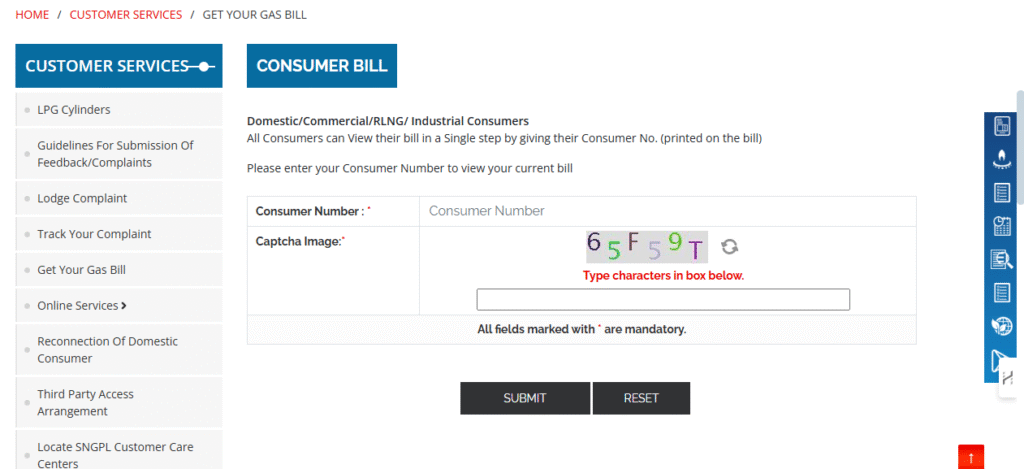
SNGPL has also introduced an online billing system called SNGPL online billing. You can get the following features:
Payment Options
- SNGPL Website / Portal: Visit SNGPL’s “Bill Payment Options” page. On their official site, under Customer Services, they list options including e-commerce banking facilities.
- Official Mobile App: The SNGPL “ConnectOn” app on Google Play offers features to view & download bill, make online bill payments. You can register for SMS/email alerts, apply for new connection, transfer connection, view complaint history.
- Digital Wallets / Mobile Accounts: Many consumers pay via Easypaisa, JazzCash, U-Account etc. Unofficial guides list these as payment channels for SNGPL bills.
- Internet Banking / Bank Branches: Most commercial banks in Pakistan accept utility bill payments. You can check list of banks here.
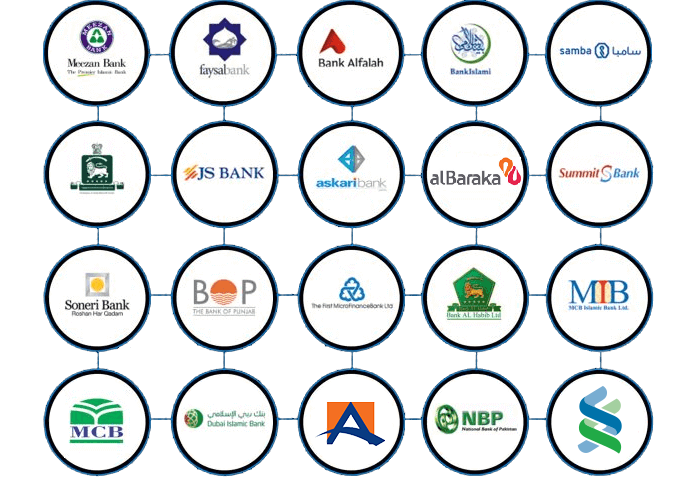
Step-by-step Payment Guide
- Obtain your consumer/account number and current bill amount via the online check method above.
- Choose your payment channel (website/app/wallet/bank).
- For digital payment: select “Utility Bill Payment” → “SNGPL” or “Sui Gas Bill” → enter consumer number → confirm amount → pay.
- After payment, ensure you get and save the payment receipt (via screenshot, PDF or transaction log).
- After payment, you can return to the bill portal to check “Online Bill Paid Status” or payment confirmation, so you know your account is updated.
Tips & Best Practices
- Pay before due date to avoid surcharge/late fees.
- If using mobile app, ensure it’s the official SNGPL app (check publisher, reviews, security).
- Cross-check payment amount and consumer number before submitting — mistakes can cause misallocation.
- Save receipts for at least 12 months in case of dispute.
- If you move house or transfer connection (e.g., name change online), ensure your bill account is updated first so payment reflects correctly.
By using these online payment channels you make the process fast, trackable and secure compared to traditional paper-bill/bank-queue methods.
How to Check SNGPL Bill Payment Status Online
After you have paid your SNGPL bill online, you can also confirm whether the payment has been updated.
If you want to check payment status, here is a quick solution:
- Revisit the online bill portal
- Enter your consumer/reference number
- Check if the bill shows “Paid” or updated balance
If you are using bill payment App or Easypaisa or Jazz cash, you can check payment status. Just log into your banking APP, click on payment option and click on your bill account. Just click on it and you will get detail whether your bill is paid or not.
Payment updates may take around 24–48 hours. But it depends on the bank or wallet you have used. If payment does not reflect after this period, you should keep your transaction receipt and lodge a complaint through SNGPL’s portal.
How To Calculate Your Bill
SNGPL has also introduced a feature named bill estimator. You can check your monthly bill by using this tool. You will have to provide account ID, category of consumers either domestic, commercial or industrial, GCV, pressure, previous reading and reading date.
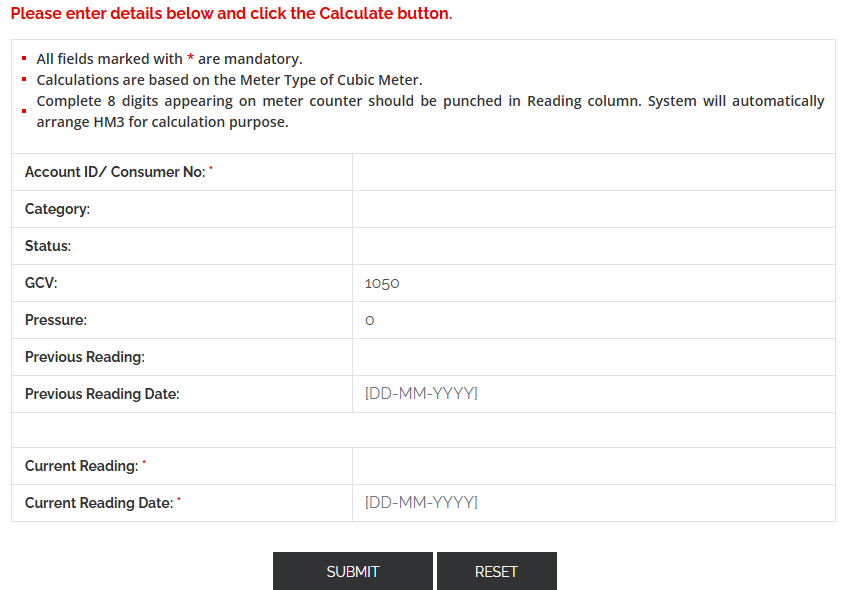
How To Use Calculator
Use an online calculator tool that uses previous and current meter readings, gas calorific value and pressure factor to estimate your SNGPL bill.
Here’s how:
- Steps:
- Note your previous month’s and current month’s meter readings.
- Locate GCV (energy content of gas) and pressure factor from previous bill.
- Input these into the tool.
- The calculator will apply slab rates and compute usage charge + fixed charges + meter rent + GST (if applicable) to give an approximate total.
- Slab example (from the calculator site): usage up to 0.25 hm³ @ some rate, 0.6 hm³ @ higher rate, etc.
- Why this matters: If you see a large jump from your previous months, you can investigate (leakage, faulty meter, tariff change) before paying.
- Important caveat: These calculators are approximations and may not include all surcharges, taxes or region-specific adjustments applied by SNGPL. Always cross-check with your official bill.
- Tip: Use the calculator monthly to observe your consumption trend and adjust your usage habits accordingly (e.g., off-peak cooking, efficient heating) to avoid high bills.
Summing up, using a bill estimator helps you stay prepared, budget wisely and detect anomalies early. If you’d rather not enter GCV and pressure values manually, our own gas bill calculator gives a faster ballpark estimate based on units alone.
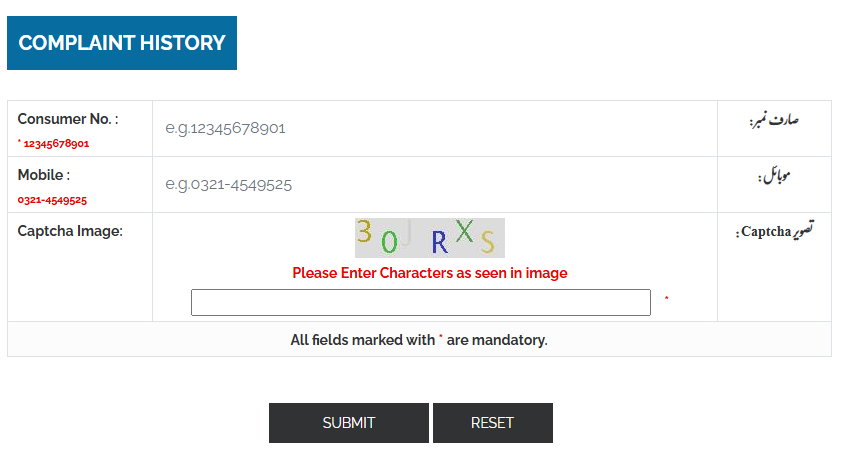
How to Lodge Complaint
SNGPL also provides an option of lodging complaint. For example, if you have failed to download SNGPL bill online, you can visit SNGPL portal and lodge complaint.
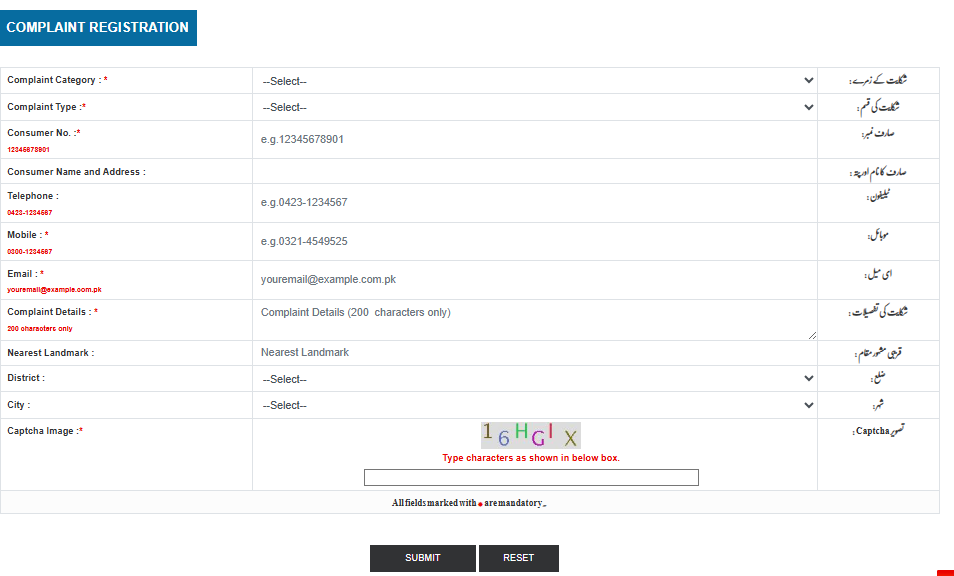
Track Your Complaint
If you are unable to download SNGPL bill online, you can also lodge a complaint. Following this, you can also track your complaint to know the current status.
IV. Cost-effectiveness:
Previously, the consumer needed to pay additional charges to get a copy of their bill. SNGPL’s internet billing framework has chopped down these additional expenses by offering free support.
Buyers can utilize this internet-based support to get copies of their bills with the expectation of complimentary setting aside cashback.
v. User Comfort:
Previously, consumers needed to stand in long lines to get their copies of bills, and afterwards, after the bill’s installment, focus on covering their bills.
This SNGPL’s online billing framework has furnished the clients with the incredible convenience of finishing all their work from home without the problem of actually going to the workplace and waiting in line to finish their work.
The limitation of office timing has likewise been addressed.
SNGPL Online Bill Check in 2026: What’s Changed and What Hasn’t
Many users have been looking for year-specific queries like SNGPL online bill check 2026 or recent months. They assume the system changes annually. But, in reality, the bill-checking process has remained largely unchanged. Even, the process may remain the same for SNGPL online bill check 2026.
What’s the same in 2026:
- Same official website
- Same consumer/reference number system
- Same download and print options
What may change:
- Tariff rates – see our gas tariff Pakistan guide for the latest slab-wise rates
- Taxes and surcharges
- Bill layout design
Older guides from 2022–2025 are still largely accurate for the bill-checking process, but you should always refer to your latest bill for current charges. The online portal continues to function nationwide in 2026 the same way it has in previous years.
FAQS
How can I check my Sui Gas bill online?
You need your 11-digit Consumer Number (also shown as Account ID) to check and download your SNGPL bill online. This is different from the 14-digit reference number used for electricity bills — SNGPL (gas) always uses 11 digits.
What process should I follow to get a duplicate of my SNGPL bill?
You can get a copy of your Sui Gas bill easily. All you need is your 11-digit Consumer Number, which you’ll find on any previous bill.
What is a Consumer Number / Account ID?
A Consumer Number (also labeled Account ID) is a unique 11-digit identifier for your gas meter/connection. It’s used to distinguish each customer’s account and is required to view or pay your bill online.
Why is my SNGPL bill not loading online?
This is usually caused by an incorrect consumer number, a captcha that failed to load, a slow connection, or the current month’s bill not yet being uploaded. Recheck your number, refresh the page, or try again in a day.
Can I check my SNGPL bill if I live in Sindh or Balochistan?
No. SNGPL covers Punjab, Khyber Pakhtunkhwa, Islamabad Capital Territory, and Azad Jammu & Kashmir. If your connection is in Sindh or Balochistan, use the SSGC bill-check system instead.
What should I do if my SNGPL bill shows incorrect charges?
Contact SNGPL customer support directly through their helpline (1199) or online complaint portal. This page helps you view and download your bill but cannot resolve billing disputes.
Is checking my bill online free?
Yes, checking, viewing, and downloading your SNGPL bill online through the official portal is completely free — no login or account creation is required.