

Step-by-Step: Create Your BISP Wallet
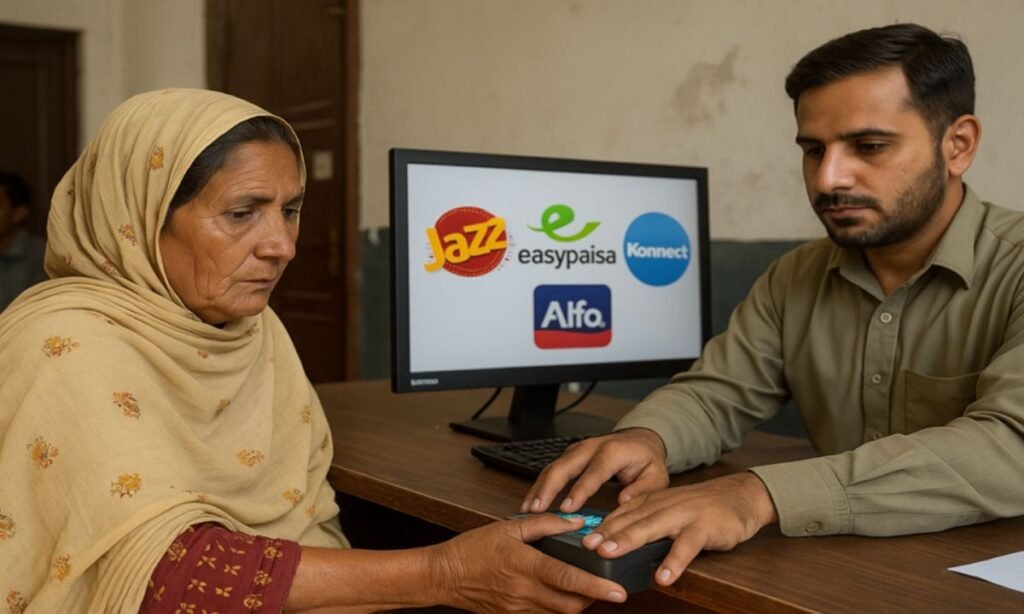
The Benazir Income Support Programme moved to digital wallets in 2025, shifting beneficiaries from traditional cash-based disbursements through agents.
The change expanded a hybrid rollout used during Ramadan into a nationwide system intended to improve transparency, speed, and control for recipients.
BISP has said beneficiaries without digital wallets will not receive their next instalment until they create one.
The objectives include preventing fraud, stopping unauthorized withdrawals, speeding transfers, giving beneficiaries control, and reducing exploitation by middlemen.
Because wallets are created using the beneficiary’s own SIM and CNIC, payments should reach the rightful person.
Step-by-step: how to create a digital wallet for BISP payments
Step 1 – Go to your nearest BISP tehsil office with your CNIC and your mobile number.
Step 2 – Your SIM must be registered in your own name; a SIM under another CNIC prevents wallet opening.
Step 3 – If your number is not linked to your CNIC, BISP staff will ask you to update your mobile record first.
Step 4 – Using your CNIC and verified mobile number, a BISP officer will open a wallet in JazzCash, Easypaisa, Konnect, or AlfaPay. The system will select the provider automatically based on your SIM network.
Step 5 – Your fingerprints will be scanned to confirm identity and activate the account.
Read More: JazzCash And Binance Explore Virtual Asset Collaboration
Step 6 – After biometric verification, the wallet becomes active and any remaining instalment amount, if applicable, will be handed over at the office with confirmation.
Step 7 – Quarterly instalments will be sent directly to the wallet and can be withdrawn at JazzCash/Easypaisa shops, partner ATMs, or bank agents.
How to check BISP status before creating a wallet
BISP has not launched any official online portal for checking payments or registration.
The only verified method is SMS: send your CNIC number to 8171 to receive eligibility, payment status, and instructions via official SMS.
Any website claiming to offer online registration or payment-status checks is fake.
Why SIM ownership matters
Most wallet failures occur because the mobile number is not registered under the beneficiary’s CNIC.
If the SIM is not in your name, your wallet cannot be opened and payment will be delayed. Telecom centres can update SIM registration.
Official helplines and security
Official BISP helplines are 8171 and 0800-26477. Beneficiaries should never share CNIC photos, fingerprints, or PIN codes except at official BISP centres.